ResumeForgeAI - เครื่องมือสร้างเรซูเม่สมัครงานอัจฉริยะ (AI ATS-Optimized Resume Builder)
About the Project
ResumeForgeAI - เครื่องมือสร้างเรซูเม่สมัครงานอัจฉริยะ (AI ATS-Optimized Resume Builder)
Bilingual Documentation: English Version | ภาษาไทย
ResumeForgeAI - AI ATS-Optimized Resume Builder (English Version)
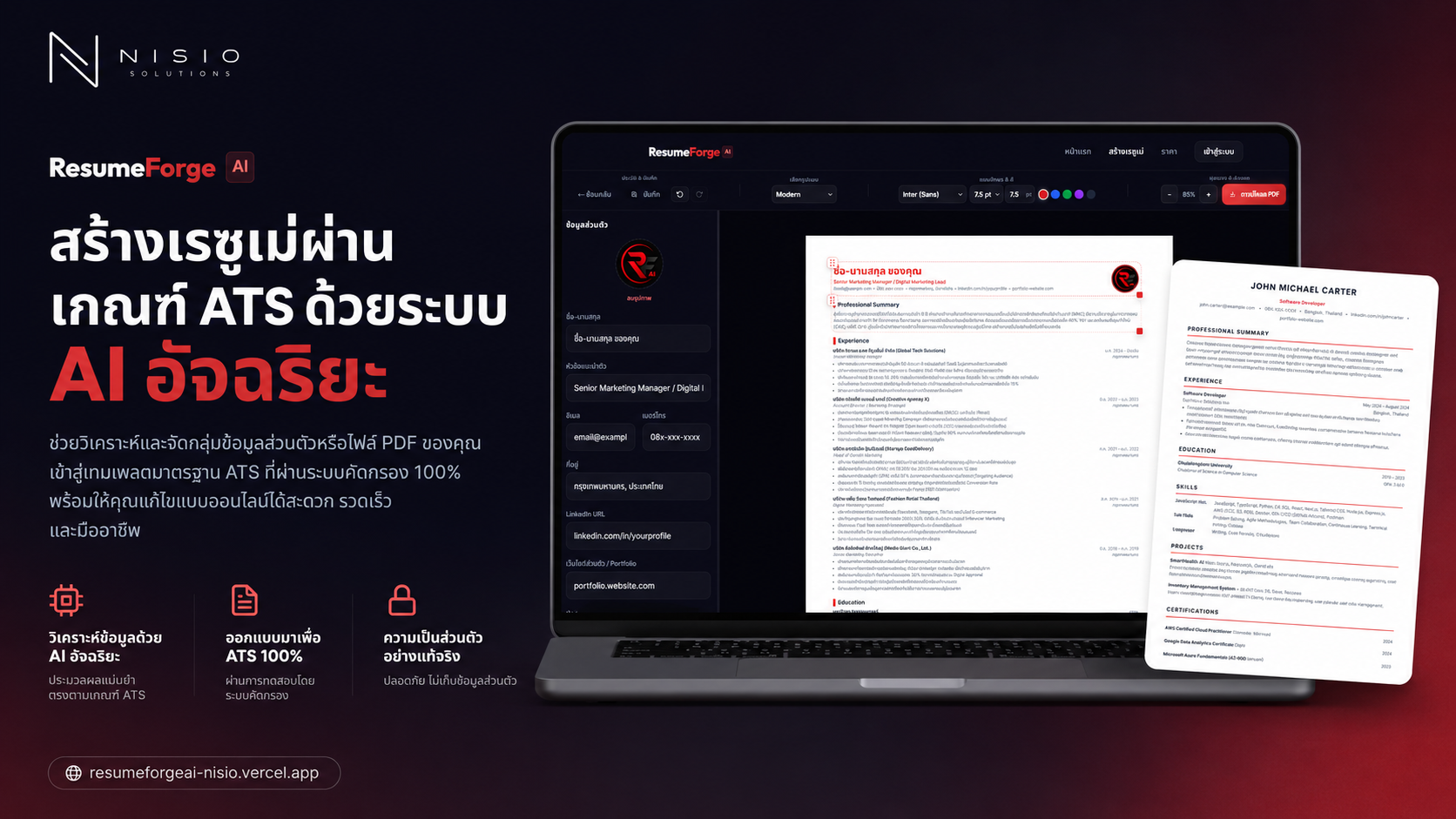
An advanced web application designed to generate and edit resumes that are 100% compliant with Applicant Tracking Systems (ATS). Powered by Google Gemini AI, it features an interactive live A4 canvas editor, custom layout capabilities, and a database-backed daily usage quota management system.
Table of Contents
- Features
- Tech Stack
- Project Structure
- Database & Quota Management
- AI Integration
- Getting Started
- Canvas Editor & PDF Export
- Data Privacy
Features
-
AI Resume Parsing & Extraction
- Upload an existing PDF resume to extract raw text content in-memory (processed entirely in temporary server memory without storing files).
- Alternatively, type or paste raw professional experiences directly into the text input area.
-
ATS Optimization & Tailoring
- Automatically enhances resume content, formatting, and highlights using industry-standard action verbs.
- Tailors keywords to match a target Job Description (JD) to improve ATS matching scores.
- Clean, standard layout rules (no complex tables, columns, or graphic charts that disrupt parser scripts).
-
Interactive Live A4 Canvas
- Dual layout modes:
- Standard Templates: Automatically arranges content using popular design patterns (Professional, Modern, Minimal).
- Custom Layout: Provides drag-and-drop handles and resizing cursors to arrange resume blocks freely on the grid, keeping sections aligned.
- Inline Text Editing: Double-click any text element on the A4 page preview to edit content directly using standard HTML5
contentEditable. - Rich Text Control: Highlight text to open a formatting context menu to change font faces, text sizes, or apply bold, italic, and text colors inline.
- Dual layout modes:
-
Spacing & Density Control
- Compact: For dense resumes, AI writes concise achievements and uses tight margins/line heights to fit extensive histories onto a single A4 page.
- Normal: Balanced spacing and text length.
- Loose: For fresh graduates or shorter profiles, AI adjusts paragraphs and opens up margins to fill the page beautifully.
-
History & Auto-Save
- Persists state changes locally in the browser's
localStorage(capped at 10 version history slots). - Full Undo and Redo support (debounced snapshot capture, remembers up to 50 edits).
- Persists state changes locally in the browser's
-
A4 PDF Printing
- Leverages browser printing (
window.print()) combined with responsive CSS@media printrules for pixel-perfect PDF export. No layout distortion or cutoff.
- Leverages browser printing (
Tech Stack
Frontend & Core Framework
- Next.js 16.2.7 (App Router): Modern React meta-framework utilizing route grouping (
(app),(auth)) and serverless API endpoints. - React 19.2.4 & TypeScript: Type-safe client components and state controls.
- Zustand 5.0.14: Client state management with local persistence (
persistmiddleware).
Styling
- Vanilla CSS Modules: Standard modular styling avoiding Tailwind CSS, allowing granular layout and print control.
Database & Backend
- Drizzle ORM 0.45.2 & Drizzle Kit: TypeScript ORM linking the app to PostgreSQL database tables.
- Postgres (Serverless Neon): Scalable PostgreSQL database with a managed pool.
- NextAuth.js v5 (auth.js Beta): Handles Google OAuth logins.
AI & File Processing
- @google/genai 2.8.0: Official Google Gen AI client library.
- Gemini 3.1 Flash Lite: Core LLM for extracting, translating, and generating structured JSON resume data.
- unpdf 1.6.2: In-memory PDF text parser utility.
- Zod 4.4.3: Schema validation for request payloads and generated resumes.
Project Structure
resumeforgeai/
├── .agents/                    # AI Agent workflow configurations
├── drizzle/                    # Database schema migrations
├── public/                     # Public static assets
├── src/
│   ├── app/                    # Next.js Pages & Layouts (App Router)
│   │   ├── (app)/              # Application features (create, editor, pricing, legal)
│   │   │   ├── admin/          # Admin dashboard
│   │   │   ├── create/         # Resume builder onboarding (raw text / PDF upload)
│   │   │   └── editor/         # Interactive A4 canvas editor workspace
│   │   ├── (auth)/             # Authentication views
│   │   ├── api/                # Next.js API Routes (Serverless backend)
│   │   │   ├── admin/          # Backend admin controllers
│   │   │   ├── auth/           # NextAuth handlers
│   │   │   ├── generate/       # AI Generation route (connects with Gemini)
│   │   │   ├── upload/         # In-memory PDF parser route (uses unpdf)
│   │   │   └── usage/          # Rates and daily limits checking route
│   │   ├── globals.css         # Reset styles, typography, themes, & print overrides
│   │   └── layout.tsx          # Root layout
│   ├── components/             # Reusable UI React Components
│   │   ├── editor/             # EditorCanvas, EditorSidebar, EditorToolbar, PhotoUpload
│   │   ├── layout/             # Layout navigation, footer, cookie banners
│   │   ├── providers/          # React Session and Context wrappers
│   │   └── ui/                 # Atomic UI primitives (Buttons, Cards, Inputs, Upload loaders)
│   ├── hooks/                  # Custom hooks
│   │   └── useResumeStore.ts   # Main Zustand store for resume state & version history
│   ├── lib/                    # Core utilities and helpers
│   │   ├── ai/                 # Gemini API wrapper and prompts configuration
│   │   ├── db/                 # Database clients and plan initialization logic
│   │   ├── pdf/                # PDF arraybuffer extractor using unpdf
│   │   ├── auth.ts             # NextAuth configuration
│   │   ├── rate-limit.ts       # Rate limit and quota math
│   │   ├── utils.ts            # Common string and styling helpers
│   │   └── validators.ts       # Zod verification schemas
│   ├── types/                  # TypeScript interface declarations
│   └── proxy.ts                # Network proxy setup (if any)
├── .env.local                  # Environment variables
├── drizzle.config.ts           # Drizzle config file
├── next.config.ts              # Next.js config file
└── package.json                # Project script and dependencies list
Database & Quota Management
The application features daily usage limits (Rate Limiting) based on the user's plan tier stored in the database:
Plan Tiers
- Guest (General User):
- No login required.
- Limit: 1 generation per day.
- Tracked using the user's IP Address and a secure cookie-based Anonymous ID (
anon_id).
- Starter (Free Registered Plan):
- Free Google sign-in.
- Limit: 3 generations per day.
- Grants permissions to upload profile photos and reorder/hide layout sections on the canvas.
- Pro (Premium Plan):
- Subscription fee: 99 THB per month.
- Limit: Unlimited AI generation.
- High priority queue processing and direct support channel.
Database Schema
users: Stores core credentials, roles (role), associatedplanId, and billing expiration timestamps.accounts,sessions,verification_tokens: Handles NextAuth sessions.plans: Static limits, prices, and features for Guest, Starter, and Pro.usage_records: Stores UTC timestamps of generate invocations to count daily consumption limits.
AI Integration
Generates resumes using Gemini's Structured JSON Output (responseSchema configurations) to ensure stable type casting on client components.
const response = await ai.models.generateContent({
  model: "gemini-3.1-flash-lite",
  contents: userPrompt,
  config: {
    systemInstruction: systemPrompt,
    responseMimeType: "application/json",
    responseSchema: resumeResponseSchema,
    temperature: 0.7,
  },
});
Prompt Logic (src/lib/ai/prompts.ts)
- Language Controls: If "English" is chosen, the system strictly translates Thai fields (e.g. company names, universities, descriptions) into professional business English, leaving no Thai script in the JSON.
- ATS Keyword Injections: Tailors text matching the user's targeted job description.
- Density Formatting: Configures short bullet points for Loose layout modes, or extensive achievements for Compact modes.
Getting Started
Prerequisites
- Node.js version 18 or higher.
- A PostgreSQL database (e.g., Neon Postgres, or local instance).
Setup Instructions
-
Install Dependencies
bashnpm install -
Configure Environment Variables Create a
.env.localfile at the root of the project:env# Database Connection String DATABASE_URL=postgresql://user:password@host/database?sslmode=require # NextAuth Security Credentials AUTH_SECRET=your_32_character_random_hash AUTH_GOOGLE_ID=google_oauth_client_id AUTH_GOOGLE_SECRET=google_oauth_client_secret # Gemini API Key GEMINI_API_KEY=your_gemini_api_key # Application URL NEXT_PUBLIC_APP_URL=http://localhost:3000 -
Deploy Database Tables Push the Drizzle schemas to your Postgres DB:
bashnpx drizzle-kit push -
Run Development Server
bashnpm run devOpen http://localhost:3000 to view the application.
-
Build and Run in Production
bashnpm run build npm run start
Canvas Editor & PDF Export
A4 Page Scaling
- The virtual sheet in
EditorCanvas.tsxmaintains standard physical proportions of $794\text{px}$ wide and $1123\text{px}$ tall (matching A4 dimensions at $96\text{dpi}$). - The editor automatically adjusts scale multipliers using CSS
transform: scale(zoom)to fit various screen sizes (down to 0.3 for mobile layouts).
window.print() Overrides
- Using CSS
@media printrules, the app strips the navigation bar, sidebar menus, toolbars, and editing cursors during print tasks. - Resets the canvas scale to exactly $100%$ ($1:1$) so that browser PDF printing engines cleanly output a single, high-fidelity A4 document with native document margins.
Data Privacy
We prioritize personal data confidentiality:
- Resumes, profiles, and image uploads are saved locally on the user's browser via Zustand localStorage.
- In-memory PDF upload parsing extracts text on the fly without saving PDF file artifacts onto server storage folders.
- Deleting items from history clears them instantly from browser cache with zero server residuals.
ResumeForgeAI - เครื่องมือสร้างเรซูเม่สมัครงานอัจฉริยะ (ภาษาไทย)
ระบบเว็บแอปพลิเคชันสร้างและแก้ไขเรซูเม่ที่ออกแบบมาเพื่อสอดคล้องกับระบบคัดกรองเรซูเม่ (ATS - Applicant Tracking System) แบบ 100% ขับเคลื่อนด้วยพลังของ AI จาก Google Gemini และระบบจัดระเบียบเค้าโครงแคนวาสแบบโต้ตอบได้ พร้อมระบบควบคุมโควตาตามการใช้งานแพ็กเกจ
สารบัญ
- คุณสมบัติเด่น (Features)
- เทคโนโลยีและเครื่องมือที่ใช้ (Tech Stack)
- โครงสร้างโฟลเดอร์ของโปรเจกต์ (Project Structure)
- ระบบฐานข้อมูลและการจัดการโควตา (Database & Usage Limit)
- การเชื่อมต่อปัญญาประดิษฐ์ (AI Integration)
- การตั้งค่าและการรันโปรเจกต์ (Getting Started)
- ระบบแก้ไขแคนวาสและการพิมพ์ (Canvas Editor & PDF Export)
- นโยบายความเป็นส่วนตัวของข้อมูล (Data Privacy)
คุณสมบัติเด่น (Features)
-
สกัดประวัติเก่าด่วนด้วย AI (Resume Parsing & Extraction)
- รองรับการอัปโหลดไฟล์เรซูเม่เดิมในรูปแบบ PDF โดยระบบจะนำไปสกัดข้อมูลข้อความดิบภายในหน่วยความจำชั่วคราว (In-Memory Processing)
- ลูกค้าสามารถพิมพ์หรือวางข้อความประวัติการทำงานแบบดิบเพื่อประมวลผลได้โดยตรง
-
ระบบวิเคราะห์และเพิ่มประสิทธิภาพเรซูเม่ระดับ ATS
- ช่วยปรับแต่งและคัดสรรคำสำคัญ (Keywords) ที่เหมาะกับตำแหน่งงานเป้าหมายโดยสามารถระบุ Job Description ประกอบการสร้างได้
- หลีกเลี่ยงอุปสรรคต่อระบบ ATS เช่น การใช้ตารางที่สลับซับซ้อน รูปแบบกราฟิกที่อ่านยาก หรือฟอนต์ที่ไม่ได้มาตรฐาน
- เขียนประวัติและสรุปความสามารถให้ดึงดูด น่าสนใจ และใช้คำศัพท์เชิงปฏิบัติการ (Action Verbs) เสมอ
-
แคนวาสแก้ไขโต้ตอบเสมือนจริง (Interactive Live A4 Canvas)
- ปรับการทำงานได้ 2 รูปแบบ:
- มาตรฐาน: จัดวางเลย์เอาต์ตามเทมเพลตมาตรฐานยอดนิยม (Professional, Modern, Minimal)
- กำหนดเอง (Custom Layout): มีระบบลากเพื่อจัดตําแหน่งอิสระ (Drag & Drop) และปรับขนาดกรอบข้อมูลแต่ละส่วนได้อย่างลงตัว เพื่อควบคุมโครงสร้าง A4
- แก้ไขข้อความแบบสด (Inline Text Editing): ดับเบิลคลิกเพื่อพิมพ์แก้ไขข้อความโดยตรงบนหน้ากระดาษ A4 เสมือนจริง พร้อมแถบเครื่องมือปรับแต่งตัวหนา/ตัวเอียง/เลือกฟอนต์/ขนาด/สี เฉพาะจุด (Rich Text Context Menu)
- ปรับการทำงานได้ 2 รูปแบบ:
-
การควบคุมความหนาแน่นเนื้อหา (Spacing & Density Control)
- กระชับ (Compact): สำหรับผู้มีประวัติเยอะ ระบบจะดึงรายละเอียดกระชับและบีบช่องไฟเพื่อให้เนื้อหาหนาแน่นบรรจุอยู่ภายในหน้าเดียวได้
- ปกติ (Normal): สมดุลสัดส่วนตัวอักษรและช่องไฟมาตรฐาน
- กว้าง (Loose): สำหรับเด็กจบใหม่หรือผู้มีประสบการณ์ไม่มาก ระบบจะปรับเนื้อหาและขยายช่องไฟให้ดูเต็มหน้ากระดาษพอดี
-
ระบบจัดการบันทึกและประวัติการแก้ไข (Version History & Auto-save)
- บันทึกการแก้ไขลงใน Browser's Local Storage อัตโนมัติ (เก็บข้อมูลได้สูงสุด 10 ประวัติ)
- สนับสนุนระบบย้อนกลับ (Undo) และทำซ้ำ (Redo) การกระทำได้สูงถึง 50 ขั้นตอน ช่วยให้ทดลองปรับเลย์เอาต์ได้อย่างมั่นใจ
-
ระบบการพิมพ์คุณภาพคมชัดสูง (Pixel-Perfect A4 PDF Export)
- ใช้ CSS
@media printจัดการการพิมพ์ผ่านหน้าต่างเบราว์เซอร์มาตรฐาน ทำให้ส่งออกไฟล์เป็น PDF ขนาด A4 ได้ทันทีโดยไม่บิดเบี้ยวหรือข้อมูลหาย
- ใช้ CSS
เทคโนโลยีและเครื่องมือที่ใช้ (Tech Stack)
Frontend & Core Framework
- Next.js 16.2.7 (App Router): โครงสร้างแอปพลิเคชันยุคใหม่ จัดแบ่งสิทธิ์การทำงานและหน้าเพจผ่านกลุ่มเส้นทาง (Route Groups:
(app),(auth)) - React 19.2.4 & TypeScript: พัฒนาบนฐานข้อมูลประเภทที่มีความปลอดภัยและเสถียรภาพสูง
- Zustand 5.0.14: ระบบจัดการสถานะข้อมูลกลาง (State Management) ที่เรียบง่าย รวดเร็ว และรองรับ Undo/Redo
Styling
- Vanilla CSS Modules: หลีกเลี่ยงการใช้ Tailwind CSS และหันมาเลือกใช้ Vanilla CSS เพื่อความยืดหยุ่น ประสิทธิภาพการโหลด และควบคุมสไตล์พิมพ์ระดับ Pixel-Perfect
Database & Backend
- Drizzle ORM 0.45.2 & Drizzle Kit: เครื่องมือช่วยเขียนโค้ดและจัดการตารางฐานข้อมูลเชิงวัตถุร่วมกับ PostgreSQL
- Postgres (Serverless via Neon): ฐานข้อมูลหลักที่รองรับการเชื่อมต่อแบบ Singleton connection pool เพื่อความเสถียรในทุกคำขอ
- NextAuth.js v5 (auth.js Beta): รองรับการลงชื่อเข้าใช้งานผ่านผู้ให้บริการภายนอก (Google OAuth)
AI & Document Utilities
- @google/genai 2.8.0: SDK อย่างเป็นทางการของ Google สำหรับใช้งาน Gemini AI
- Gemini 3.1 Flash Lite: โมเดลหลักสำหรับการประมวลผลข้อมูล แปลภาษา และสกัดข้อมูลออกมาเป็นรูปแบบโครงสร้าง JSON
- unpdf 1.6.2: โมเดลตัวอ่านและสกัดข้อความจากไฟล์ PDF ปลอดภัยและทำงานบน Server memory 100%
- Zod 4.4.3: เครื่องมือตรวจสอบความถูกต้องของข้อมูลตามรูปแบบ Schema ที่กำหนด (Schema Validation)
โครงสร้างโฟลเดอร์ของโปรเจกต์ (Project Structure)
resumeforgeai/
├── .agents/                    # การตั้งค่าพฤติกรรมและทักษะของ AI
├── drizzle/                    # ไฟล์ Schema และ Migration ของระบบฐานข้อมูล
├── public/                     # ไฟล์สาธารณะและทรัพยากรรูปภาพ
├── src/
│   ├── app/                    # เส้นทางและหน้าแสดงผลแอปพลิเคชัน (Next.js Pages & Layouts)
│   │   ├── (app)/              # หน้าแอปพลิเคชันหลัก (สร้างเรซูเม่, แก้ไข, ตั้งค่าราคา, ข้อตกลง)
│   │   │   ├── admin/          # จัดการข้อมูลหลังบ้านของผู้ดูแลระบบ
│   │   │   ├── create/         # ฟอร์มอัปโหลด PDF เก่า หรือกรอกประวัติใหม่
│   │   │   └── editor/         # หน้าแคนวาสแก้ไขและจัดเรียงเนื้อหาเรซูเม่ A4
│   │   ├── (auth)/             # หน้าระบบสมาชิกและการเข้าสู่ระบบ
│   │   ├── api/                # จุดเชื่อมต่อ API ฝั่ง Backend Serverless
│   │   │   ├── admin/          # API สำหรับผู้ดูแลระบบ
│   │   │   ├── auth/           # API สำหรับจัดการ NextAuth
│   │   │   ├── generate/       # API ประมวลผลและสร้างข้อมูลเรซูเม่จาก Gemini
│   │   │   ├── upload/         # API สกัดข้อความจากไฟล์ PDF เก่า
│   │   │   └── usage/          # API ตรวจสอบสถิติการใช้งานจำกัดโควตาประจำวัน
│   │   ├── globals.css         # สไตล์การแสดงผลรวม โทนสีธีม แอนิเมชัน และการสั่งพิมพ์ A4
│   │   └── layout.tsx          # เลย์เอาต์หน้าหลักของ Next.js
│   ├── components/             # คอมโพเนนต์การแสดงผลย่อย
│   │   ├── editor/             # แคนวาสหลัก, แถบเครื่องมือปรับแต่งด้านบน, แถบควบคุมด้านข้าง
│   │   ├── layout/             # แถบเมนูด้านบน (Navbar), เมนูด้านล่าง (Footer), แถบแจ้งเตือนคุกกี้
│   │   ├── providers/          # ตัวห่อหุ้มเซสชันและการเชื่อมต่อ API ฝั่ง Client
│   │   └── ui/                 # คอมโพเนนต์ UI พื้นฐาน (ปุ่ม, ฟอร์ม, กล่องการ์ด, ตัวอัปโหลดไฟล์)
│   ├── hooks/                  # Custom React Hooks
│   │   └── useResumeStore.ts   # Zustand Store หลักสำหรับควบคุมตัวเรซูเม่และบันทึกประวัติย้อนหลัง
│   ├── lib/                    # โมดูลฟังก์ชันช่วยเหลือ
│   │   ├── ai/                 # ส่วนเชื่อมต่อและชุดคำสั่ง Prompt ของ Gemini AI
│   │   ├── db/                 # การเชื่อมต่อฐานข้อมูลและการกําหนดประเภทแผนการสมัครสมาชิก
│   │   ├── pdf/                # เครื่องมือสกัดข้อความภายในไฟล์ PDF ด้วย unpdf
│   │   ├── auth.ts             # ไฟล์ตั้งค่า NextAuth.js
│   │   ├── rate-limit.ts       # กลไกตรวจสอบอัตราและประวัติใช้งานรายวัน
│   │   ├── utils.ts            # เครื่องมือช่วยเหลือทั่วไปของแอปพลิเคชัน
│   │   └── validators.ts       # รูปแบบ Zod Schemas ตรวจสอบความสมบูรณ์ข้อมูล
│   ├── types/                  # ไฟล์คำจำกัดความประเภทข้อมูล (TypeScript Declarations)
│   └── proxy.ts                # ไฟล์ตัวแทนเชื่อมต่ออินเทอร์เน็ตผ่านพร็อกซี (ถ้ามี)
├── .env.local                  # ไฟล์ตั้งค่าตัวแปรสภาพแวดล้อม (Environment Variables)
├── drizzle.config.ts           # ไฟล์ตั้งค่าของ Drizzle Kit
├── next.config.ts              # ไฟล์ตั้งค่า Next.js
└── package.json                # รายการไลบรารีและคำสั่งรันระบบ
ระบบฐานข้อมูลและการจัดการโควตา (Database & Usage Limit)
ระบบมีกลไกป้องกันการใช้งานเกินกำหนด (Rate Limiting) และควบคุมสิทธิ์การเขียนโดยอ้างอิงตาม แพ็กเกจผู้ใช้งาน (Subscription Plans) ที่บันทึกไว้ในฐานข้อมูล ดังนี้:
ประเภทแพ็กเกจการใช้งาน
- Guest (ผู้ใช้งานทั่วไป):
- ไม่ต้องเข้าสู่ระบบ
- โควตาจำกัดที่ 1 ครั้งต่อวัน
- คำนวณขีดจำกัดจาก IP แอดเดรสและ Cookie ID (
anon_id) ปลอดภัย 100%
- Starter (แผนเริ่มต้น):
- เข้าสู่ระบบด้วย Google Account ฟรี
- โควตาจำกัดที่ 3 ครั้งต่อวัน
- ได้รับสิทธิ์เพิ่มรูปถ่ายส่วนตัวลงบนหน้าเรซูเม่ และจัดลำดับจัดเรียงหัวข้อใหม่ได้อย่างอิสระ
- Pro (แผนโปรโมชัน):
- ชำระเงินค่าบริการ 99 บาทต่อเดือน
- โควตาการสร้างเรซูเม่ด้วย AI ไม่จำกัดจำนวนครั้ง
- ประมวลผลด่วนก่อนผู้ใช้แผนปกติ และได้รับการสนับสนุนช่วยเหลือโดยตรง
โครงสร้างตารางฐานข้อมูล (Database Schema)
users: บันทึกข้อมูลบัญชีผู้ใช้ บทบาท (role), แพ็กเกจที่สมัคร (planId), วันสมัครและวันหมดอายุของแพ็กเกจaccounts&sessions&verification_tokens: ตารางรองรับระบบล็อกอิน NextAuthplans: ข้อมูลจำกัดและเงื่อนไขของแพ็กเกจ (Guest, Starter, Pro)usage_records: บันทึกประวัติการเรียกใช้บริการ AI สกัดข้อมูลและสร้างเรซูเม่เพื่อนำมาคำนวณโควตารายวันแบบเรียลไทม์
การเชื่อมต่อปัญญาประดิษฐ์ (AI Integration)
แอปพลิเคชันใช้งานการส่งคำสั่งและกำหนดการตอบกลับแบบระบุโครงสร้างผลลัพธ์ (Structured JSON Output) ของ Gemini API เพื่อหลีกเลี่ยงข้อผิดพลาดด้านข้อมูลประเภทอักขระ
const response = await ai.models.generateContent({
  model: "gemini-3.1-flash-lite",
  contents: userPrompt,
  config: {
    systemInstruction: systemPrompt,
    responseMimeType: "application/json",
    responseSchema: resumeResponseSchema,
    temperature: 0.7,
  },
});
ตรรกะประมวลผลคำสั่งระบบ (Prompt Logic)
- การแปลภาษา (Language Control): กำหนดพฤติกรรมอย่างเข้มงวดให้แปลประวัติการทำงานเป็นภาษาอังกฤษล้วน (หากเลือก "English") หรือเรียบเรียงภาษาธุรกิจไทยอย่างสละสลวย (หากเลือก "ภาษาไทย")
- การคัดกรองคำสำคัญ (ATS Keywords): กรณีระบุ Job Description ตัว AI จะทำการสอดแทรกคีย์เวิร์ดสำคัญของตำแหน่งงานนั้นลงในส่วนประวัติการศึกษาและสรุปความสามารถอย่างแนบเนียน
- ความกระชับความหนาแน่น: ปรับลดหรือขยายประโยคสรุปประวัติรวมถึงหัวข้อผลงานเด่น (Achievements) ให้สอดคล้องกับพารามิเตอร์
spacingDensity(กระชับ, ปกติ, หรือกว้าง)
การตั้งค่าและการรันโปรเจกต์ (Getting Started)
ข้อกำหนดเบื้องต้น (Prerequisites)
- ติดตั้ง Node.js รุ่น 18 ขึ้นไป
- ฐานข้อมูล PostgreSQL (เช่น Neon, Local Postgres)
ขั้นตอนการเริ่มรันระบบ
-
ดาวน์โหลดและติดตั้งไลบรารีที่จำเป็น
bashnpm install -
คัดลอกและตั้งค่าตัวแปรระบบ (.env.local) สร้างไฟล์
.env.localไว้ที่รากของโปรเจกต์ (Project Root) และระบุค่าพารามิเตอร์ดังนี้:env# ตัวอย่างการตั้งค่าฐานข้อมูล PostgreSQL DATABASE_URL=postgresql://user:password@host/database?sslmode=require # ระบบตรวจสอบสิทธิ์ความปลอดภัย (NextAuth) AUTH_SECRET=ระบุรหัสสุ่มความยาวไม่น้อยกว่า32ตัวอักษร AUTH_GOOGLE_ID=ระบุรหัสGoogleOAuthClientId.apps.googleusercontent.com AUTH_GOOGLE_SECRET=ระบุรหัสลับGoogleOAuthClientSecret # คีย์สำหรับเชื่อมต่อ Gemini API GEMINI_API_KEY=ระบุคีย์ประมวลผลปัญญาประดิษฐ์ของGemini # ที่อยู่อ้างอิงของแอปพลิเคชัน NEXT_PUBLIC_APP_URL=http://localhost:3000 -
เตรียมระบบฐานข้อมูลและสร้างตารางเริ่มต้น ใช้คำสั่ง Drizzle Kit เพื่อสร้างตารางให้ตรงกับสกีมาฐานข้อมูลที่ระบุ:
bashnpx drizzle-kit push -
เปิดใช้งานแอปพลิเคชันสำหรับพัฒนา (Development Mode)
bashnpm run devเปิดเว็บเบราว์เซอร์ไปที่ http://localhost:3000 เพื่อเริ่มต้นเข้าใช้งานแอปพลิเคชัน
-
การสร้างชุดทดสอบและคอมไพล์ในรูปแบบพร้อมเผยแพร่ (Production Build)
bashnpm run build npm run start
ระบบแก้ไขแคนวาสและการพิมพ์ (Canvas Editor & PDF Export)
เพื่อให้เรซูเม่ที่ส่งออกมาคมชัดและมีเลย์เอาต์ขนาด A4 ที่สมบูรณ์ตลอดเวลา ระบบได้ใช้กลไกการพิมพ์ตรงผ่านหน้าต่างพิมพ์ของเบราว์เซอร์ (Browser Print) ซึ่งมีลักษณะเด่นดังนี้:
การทำงานของแคนวาสเสมือน (Virtual Page)
- แคนวาสหน้ากระดาษ A4 ในไฟล์ EditorCanvas.tsx จะจัดแต่งตัวคูณลดขนาดแสดงผลอัตโนมัติตามขนาดของหน้าจอผู้ใช้ (Scale Zoom) แต่ขนาดจริงของเฟรมข้อมูลจะคงไว้ที่สัดส่วนกว้าง 794px และสูง 1123px (เทียบเท่ากับอัตราส่วนของหน้ากระดาษ A4 มาตรฐานที่ความละเอียด 96dpi)
- ข้อความและหัวข้อสำคัญใช้ฟีเจอร์
contentEditableที่สามารถพิมพ์ทับและแก้ไขแบบทันที พร้อมแถบปรับสไตล์ข้อความเฉพาะส่วนที่เลือกสรรได้ เช่น ตัวหนา ตัวเอียง หรือเน้นสี
ฟังก์ชันส่งออกเป็น PDF (window.print)
- ปรับสไตล์ทั้งหมดด้วย CSS
@media printเพื่อลบกล่องควบคุม, แถบเครื่องมือด้านข้าง, แถบนำทาง และแถบดาวน์โหลดที่ไม่เกี่ยวข้องออกทั้งหมดคงเหลือแต่โครงเรซูเม่ - ใช้การสั่งปรับขนาดมุมมองอัตโนมัติกลับมาเป็นขนาด 100% (1:1) เมื่อเข้าสู่โหมดพิมพ์ เพื่อให้ระบบดาวน์โหลดไฟล์ PDF ของบราวเซอร์ (Chrome/Safari/Edge/Firefox) ประมวลผลออกมาได้ระยะขอบมาตรฐานและไม่มีหน้ากระดาษขาดหรือล้นทะลักออกนอกพื้นที่พิมพ์
นโยบายความเป็นส่วนตัวของข้อมูล (Data Privacy)
เราคำนึงถึงความปลอดภัยของข้อมูลประวัติส่วนบุคคลเป็นอันดับหนึ่ง:
- ข้อมูลประวัติการทำงาน ข้อมูลการเรียน และรูปภาพถ่ายส่วนตัวของผู้ใช้ จะถูกเก็บไว้ฝั่งเครื่องลูกค้าเท่านั้น (Client-Side Storage) ผ่านระบบ Local Storage ในเว็บเบราว์เซอร์ของคุณ
- เมื่อผู้ใช้ทำการอัปโหลดไฟล์ PDF ระบบ Backend จะนำข้อมูลไปสกัดข้อความภายในหน่วยความจำแรมชั่วคราวชั่วประเดี๋ยวเดี่ยวโดยไม่มีการบันทึกจัดเก็บไฟล์ PDF หรือคีย์เวิร์ดต่างๆ ลงในโฟลเดอร์ของเซิร์ฟเวอร์ถาวร
- เมื่อทำการลบเรซูเม่จากประวัติ ข้อมูลทั้งหมดจะหายไปจากเครื่องของคุณทันทีและไม่มีข้อมูลหลงเหลือค้างอยู่บนระบบเซิร์ฟเวอร์