แจก Template Next.js 14 + TypeScript + Tailwind CSS + shadcn/ui Starter Kit
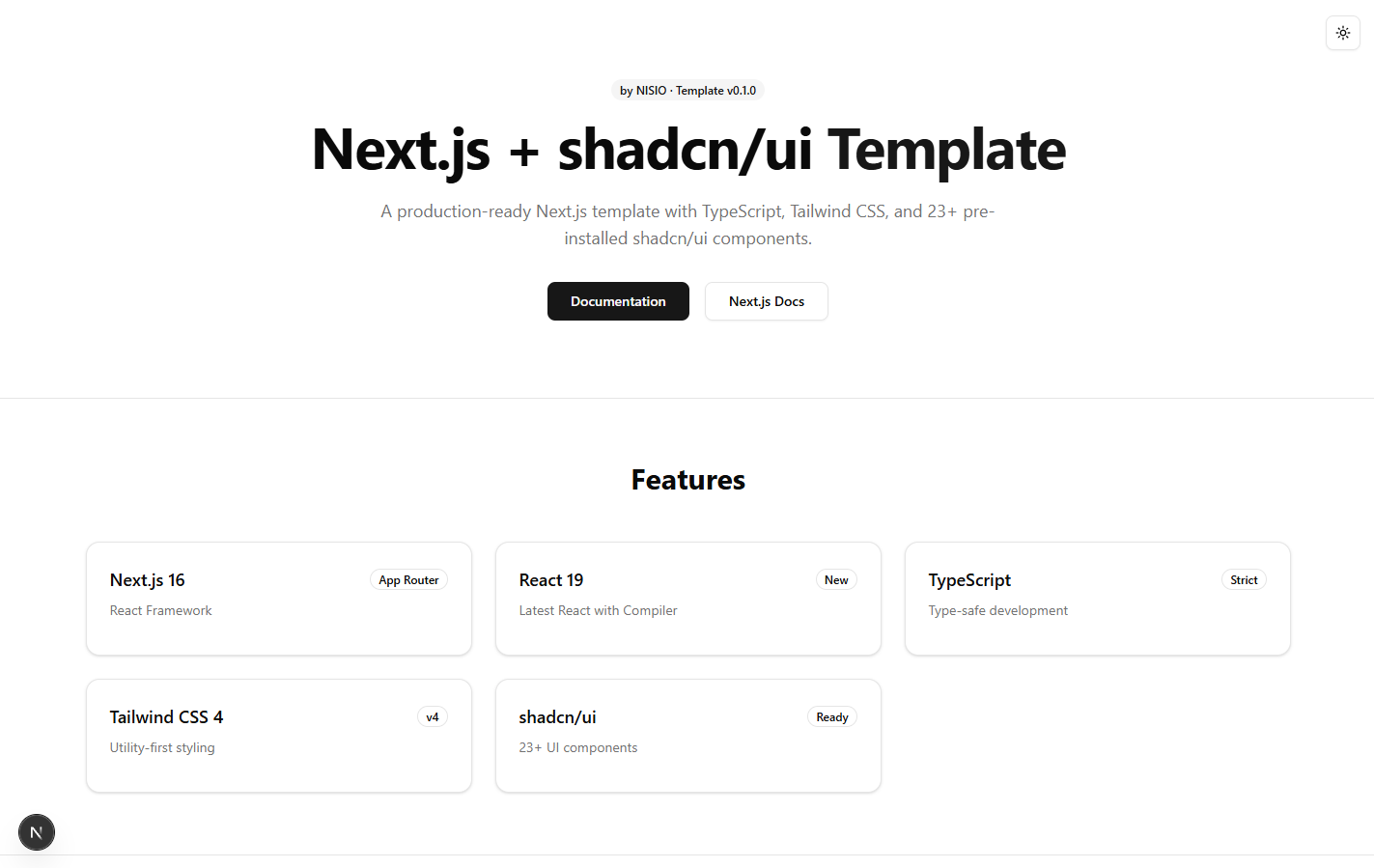
🚀 Next.js + shadcn/ui Template







by NISIO
A production-ready Next.js template with TypeScript, Tailwind CSS, shadcn/ui components, and SEO optimization.
Features • Quick Start • Structure • Docs
✨ Features
| Feature | Description |
|---|---|
| ⚡ Next.js 16 | Latest React framework with App Router |
| 🔄 React 19 | Latest React with Compiler |
| 🛡️ TypeScript | Type-safe development experience |
| 🎨 Tailwind CSS 4 | Utility-first CSS framework |
| 🧩 shadcn/ui | 23+ pre-installed UI components |
| 🌓 Dark/Light Mode | Theme switching with next-themes |
| 🔍 SEO Ready | Sitemap, robots, Open Graph, Manifest |
| 🛠️ Error Handling | Error boundaries, loading states, 404 page |
| 📝 ESLint + Prettier | Code linting and formatting |
| ✅ React Hook Form + Zod | Form handling and validation |
🧩 Pre-installed Components
| 📋 Form | 🖼️ Display | 🎯 Overlay | 💬 Feedback |
|---|---|---|---|
| Button | Card | Dialog | Toast (Sonner) |
| Input | Badge | Sheet | Tabs |
| Label | Avatar | DropdownMenu | ScrollArea |
| Textarea | Skeleton | NavigationMenu | Collapsible |
| Checkbox | Table | Tooltip | |
| Switch | Separator | ||
| Select | |||
| Form |
🚀 Quick Start
📋 Prerequisites
- Node.js 20+ (see
.nvmrc) - npm, yarn, pnpm, or bun
📦 Installation
# 1. Clone or copy this template
git clone https://github.com/sutthiphatchuenban/Next.js-shadcn-ui-Template.git

# 2. Install dependencies
npm install

# 3. Copy environment variables
cp .env.example .env
⚙️ Configuration
Update your domain in SEO files:
| File | What to Change |
|---|---|
src/app/sitemap.ts | Change example.com |
src/app/robots.ts | Change example.com |
src/app/layout.tsx | Update metadataBase |
src/app/opengraph-image.tsx | Update content |
▶️ Development
npm run devOpen http://localhost:3000 with your browser.
📜 Available Scripts
# Development
npm run dev          # Start development server

# Production
npm run build        # Build for production
npm run start        # Start production server

# Code Quality
npm run lint         # Run ESLint
npm run lint:fix     # Fix ESLint errors
npm run type-check   # Run TypeScript check
npm run format       # Format code with Prettier
npm run format:check # Check code formatting

# Maintenance
npm run clean        # Remove .next and node_modules
npm run clean:next   # Remove .next only
📁 Project Structure
📦 examio
├── 📂 src/
│   ├── 📂 app/                    # Next.js App Router
│   │   ├── 📂 api/                # API routes
│   │   │   └── 📂 health/         # Health check endpoint
│   │   ├── 📄 sitemap.ts          # SEO sitemap
│   │   ├── 📄 robots.ts           # SEO robots.txt
│   │   ├── 📄 manifest.ts         # Web app manifest
│   │   ├── 📄 opengraph-image.tsx # Open Graph image
│   │   ├── 📄 error.tsx           # Error boundary
│   │   ├── 📄 loading.tsx         # Loading UI
│   │   ├── 📄 not-found.tsx       # 404 page
│   │   ├── 📄 layout.tsx          # Root layout + metadata
│   │   ├── 📄 page.tsx            # Home page
│   │   └── 📄 globals.css         # Global styles
│   ├── 📂 components/
│   │   ├── 📂 ui/                 # shadcn/ui components
│   │   ├── 📂 providers/
│   │   │   └── 📄 theme-provider.tsx
│   │   └── 📄 mode-toggle.tsx     # Theme toggle button
│   ├── 📂 hooks/                  # Custom React hooks
│   │   ├── 📄 use-local-storage.ts
│   │   └── 📄 use-debounce.ts
│   ├── 📂 lib/
│   │   └── 📄 utils.ts            # Utility functions (cn)
│   └── 📂 types/
│       └── 📄 index.ts            # TypeScript types
├── 📂 public/                     # Static assets
├── 📄 .env.example                # Environment variables template
├── 📄 .nvmrc                      # Node.js version lock
├── 📄 components.json             # shadcn/ui config
├── 📄 next.config.ts              # Next.js config
├── 📄 prettier.config.mjs         # Prettier config
└── 📂 .vscode/                    # VS Code settings
    ├── 📄 extensions.json         # Recommended extensions
    └── 📄 settings.json           # Editor settings
🪝 Custom Hooks
🔒 useLocalStorage
Persist state to localStorage with type safety:
import { useLocalStorage } from "@/hooks/use-local-storage"

function MyComponent() {
  const [value, setValue] = useLocalStorage("key", defaultValue)
  // ...
}
⏱️ useDebounce
Debounce values for search/filter:
import { useDebounce } from "@/hooks/use-debounce"

function Search() {
  const [search, setSearch] = useState("")
  const debouncedSearch = useDebounce(search, 500)
  // Use debouncedSearch for API calls
}
🎨 Theming
🌓 Dark/Light Mode
The template includes a theme toggle button and supports:
| Mode | Description |
|---|---|
| ☀️ Light | Clean, bright interface |
| 🌙 Dark | Easy on the eyes |
| 💻 System | Auto-detect preference |
Toggle theme programmatically:
import { useTheme } from "next-themes"

function MyComponent() {
  const { theme, setTheme } = useTheme()

  return (
    <button onClick={() => setTheme("dark")}>
      Switch to dark mode
    </button>
  )
}
🎨 Customizing Theme
Edit CSS variables in src/app/globals.css:
:root {
  --background: oklch(1 0 0);
  --foreground: oklch(0.145 0 0);
  --primary: oklch(0.205 0 0);
  /* ... */
}
🔍 SEO
The template includes comprehensive SEO setup:
| Feature | Path | Description |
|---|---|---|
| 🗺️ Sitemap | /sitemap.xml | Auto-generated |
| 🤖 Robots | /robots.txt | Configured |
| 📱 Open Graph | /opengraph-image | Social sharing |
| 📲 Manifest | /manifest.webmanifest | PWA support |
| 🏷️ Metadata | layout.tsx | Complete meta tags |
Update your domain in:
src/app/sitemap.tssrc/app/robots.tssrc/app/layout.tsx(metadataBase)
➕ Adding Components
# Add a shadcn/ui component
npx shadcn@latest add <component-name>

# Example
npx shadcn@latest add calendar
🔐 Environment Variables
Copy .env.example to .env and configure:
# App
NEXT_PUBLIC_APP_URL=http://localhost:3000

# Database (if needed)
# DATABASE_URL=

# Authentication (if needed)
# NEXTAUTH_SECRET=
# NEXTAUTH_URL=
🚀 Deployment
▲ Vercel (Recommended)
npm run build🌐 Other Platforms
Make sure to set the Node.js version to match .nvmrc:
node -v # Should show v20.11.0 or higher🛠️ Customization
🎨 Base Color
Current template uses neutral base color. To change:
npx shadcn@latest init
# Select different base color
✒️ Fonts
The template uses Geist font. To change, edit src/app/layout.tsx.
📚 Documentation



📄 License
MIT License - see LICENSE file
Built by NISIO 🚀
Happy coding! ✨